All-in-one auto organizer
0
main management zones
0
key UI screens on the landing page
0
clean command center for your vehicle
Manage your car like a modern digital garage.
Cosmolot Car Manager helps you keep service history, vehicle data, documents, maintenance notes, and spending reports inside one sleek mobile control center.
Service history
Smart reminders
Cost overview
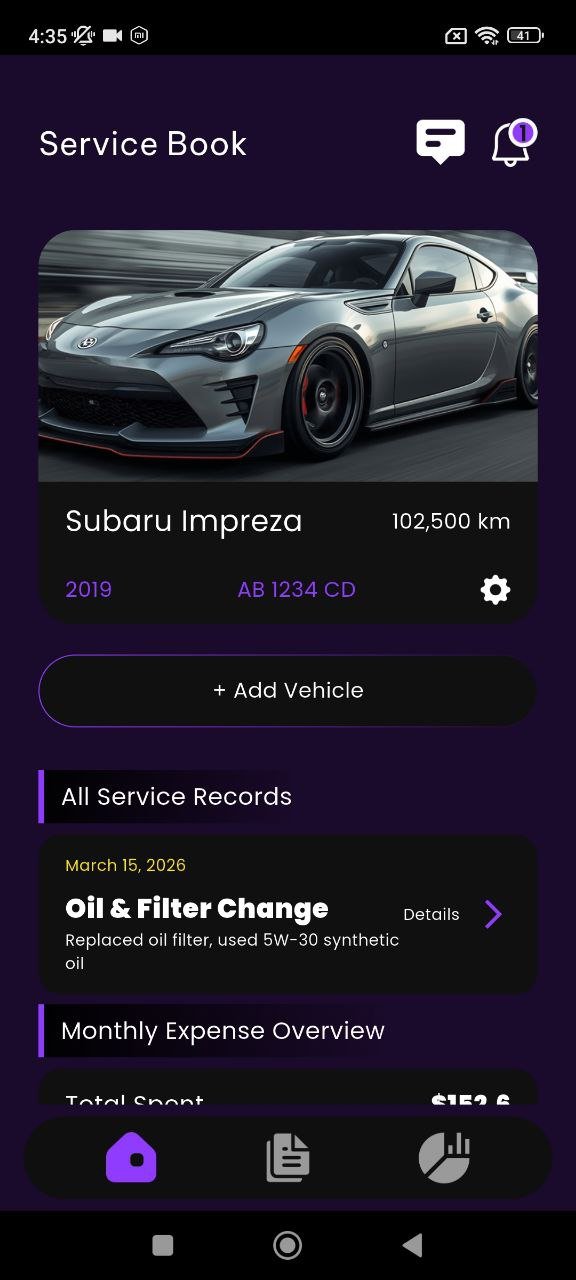
Control panel
Garage, documents, reportsDesigned for
organized everyday car ownership
Design mode
Premium cockpit UI
Main use
Vehicle record management
Product goal
Less chaos, more control
Core features
Built around the things drivers actually need to track
This layout uses a dashboard preview system, so every selected screenshot feels like a product capability instead of a random image.
Selected module
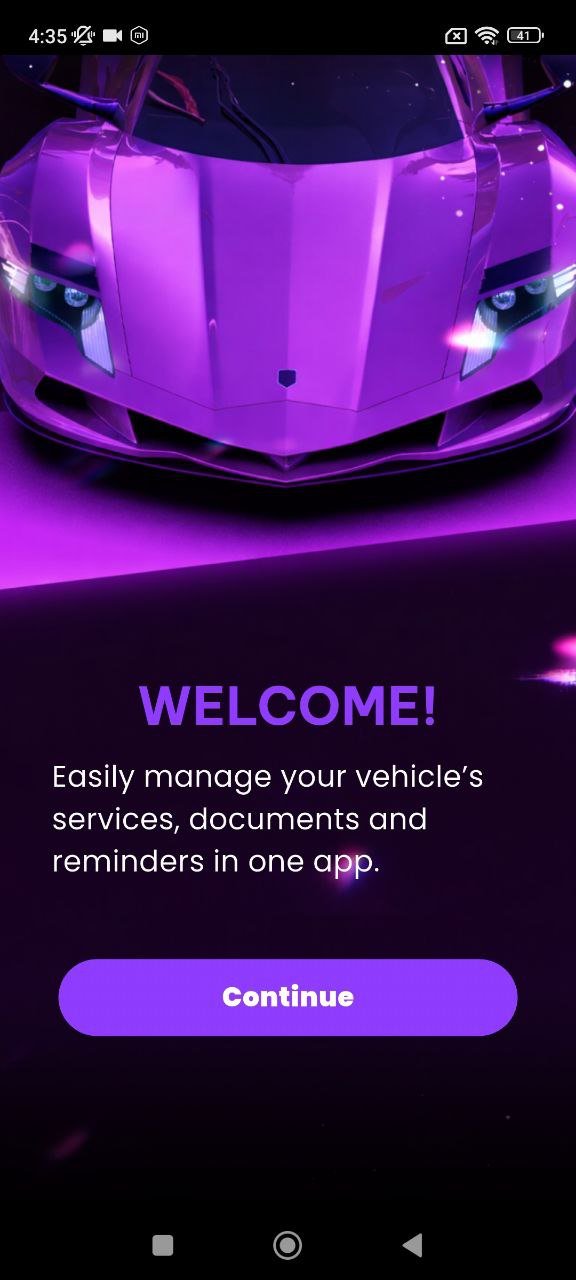
Service Book Dashboard
The main service book screen gathers vehicle info, service records, and monthly expense visibility in one practical view.
01
Dashboard
Your garage starts with a clean overview
See current car information, add a vehicle, review service history, and keep monthly cost tracking visible.
02
Vehicle
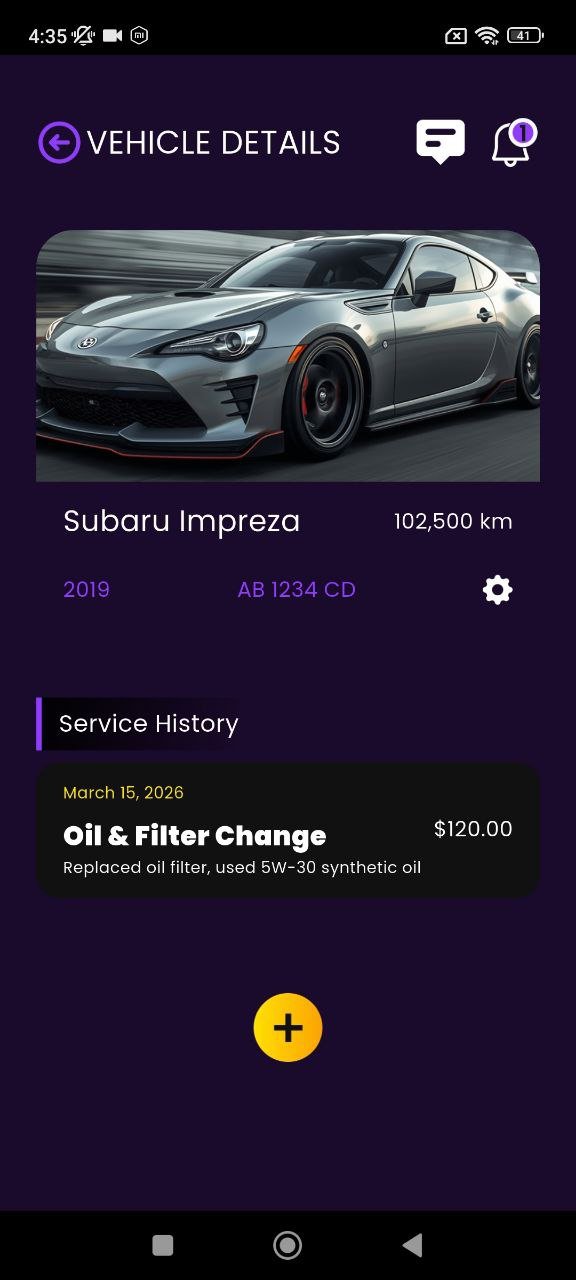
Vehicle detail pages keep the essentials together
Make, model, mileage, and service history are grouped in a more structured ownership view.
03
Service
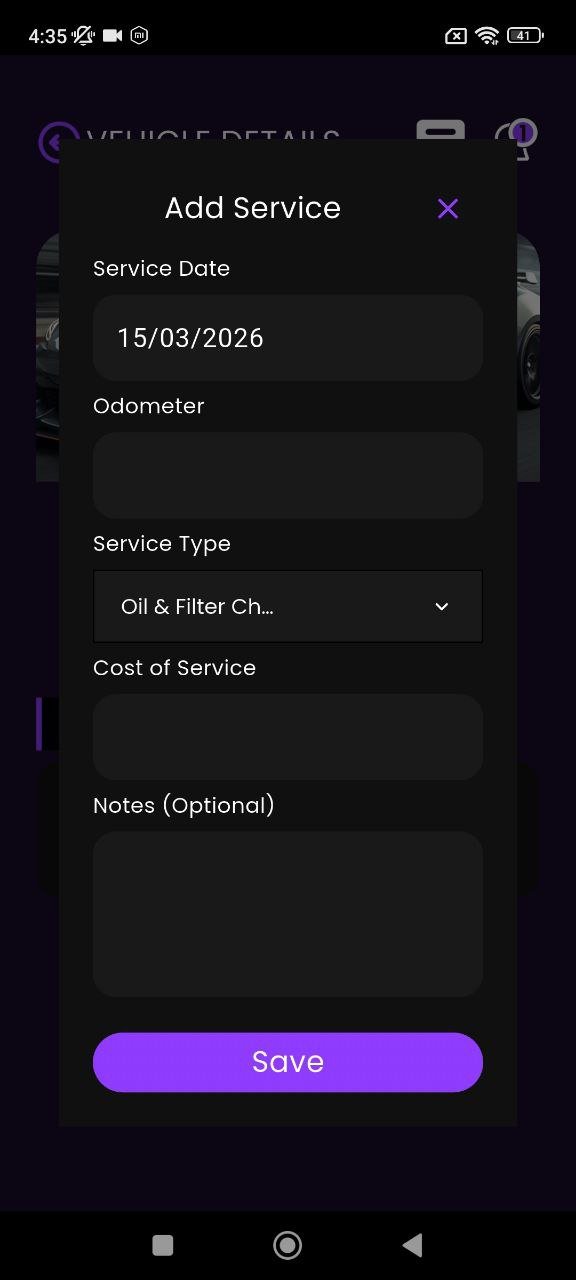
Service logging is fast and focused
The app makes it easy to add real maintenance actions instead of leaving them in scattered notes.
04
Setup
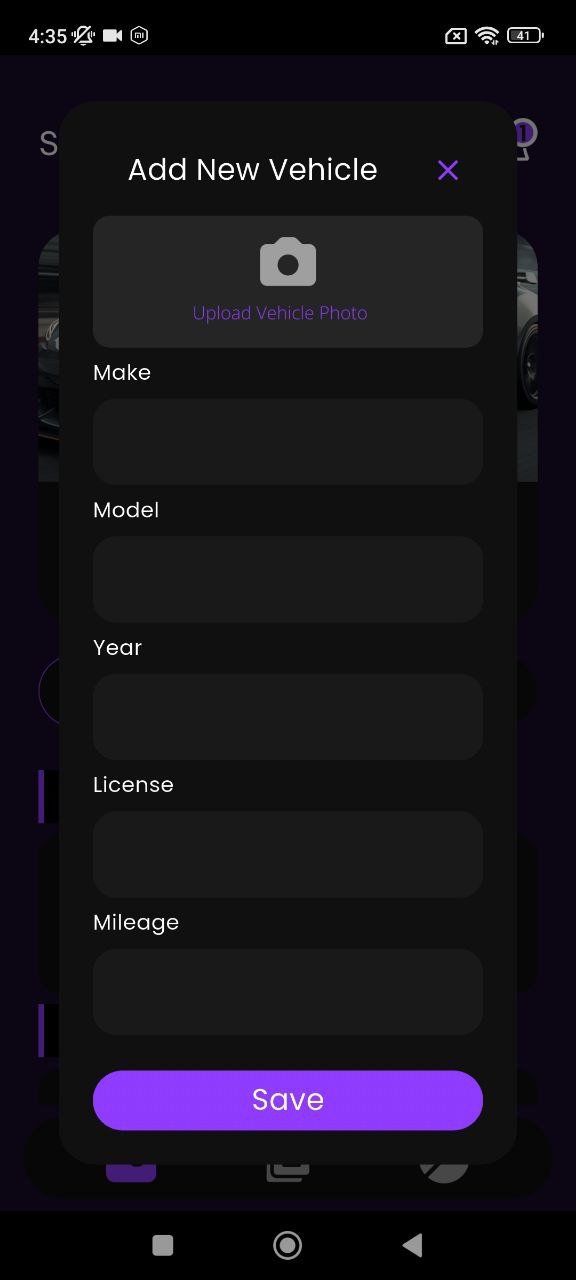
Add vehicles without clutter or confusion
The new vehicle flow turns setup into a clean input process that feels like part of a premium dashboard.
05
Docs
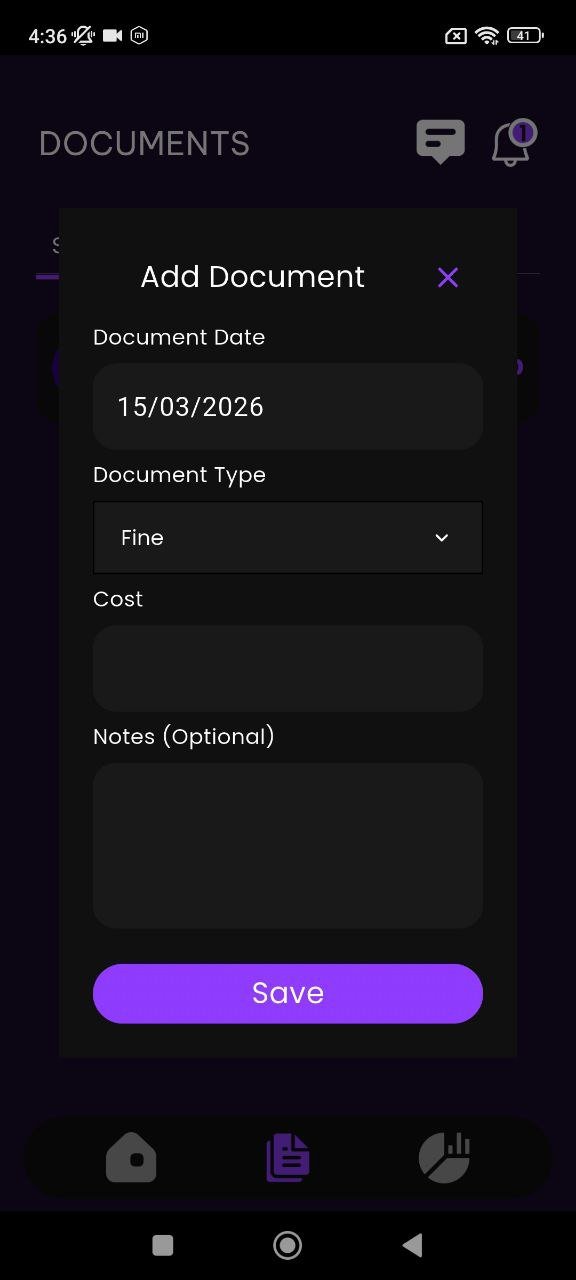
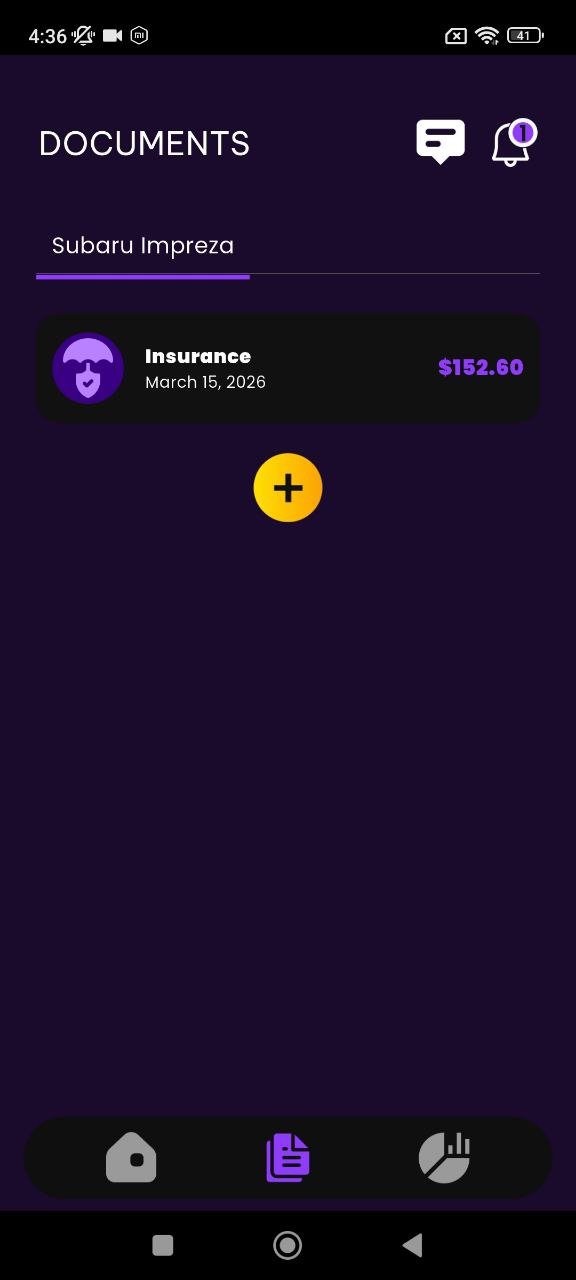
Important car documents get their own space
Instead of mixing records together, documents are separated into a clearer category for quick review.
06
Reports
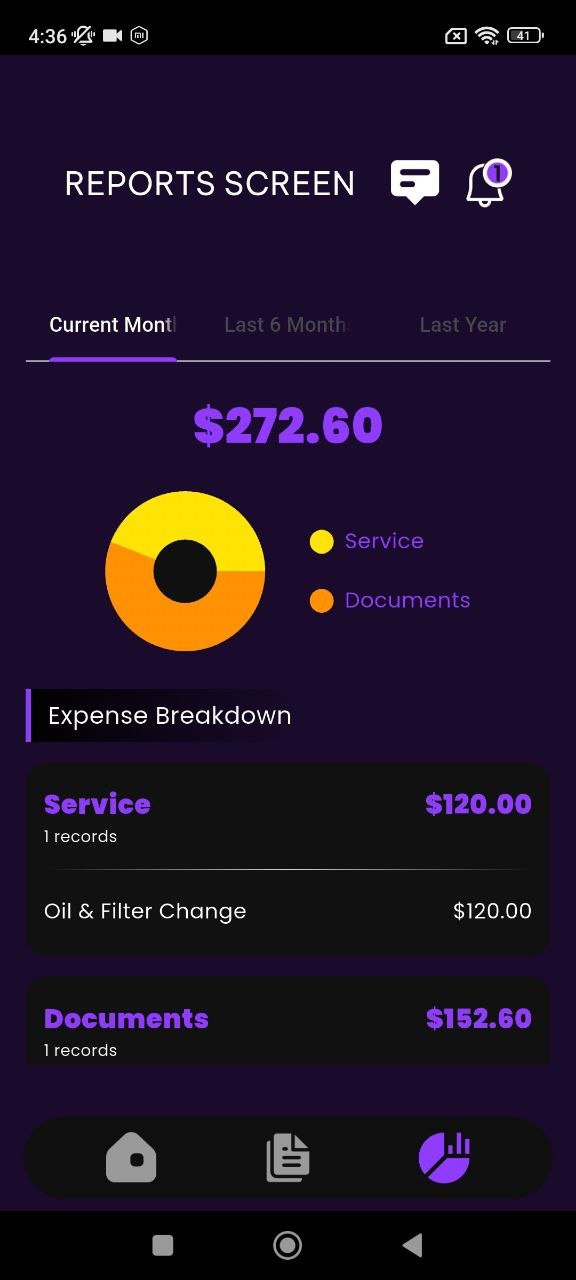
Understand where your money goes
The reports screen turns maintenance and document costs into a readable breakdown with better financial visibility.
Workflow
How the product experience unfolds
This site uses a vertical route timeline instead of a simple stacked gallery, so the screenshots feel like a real product journey.
01
Start from the service dashboard
The service book screen works like a mobile garage hub with vehicle identity, records, and cost information in one place.
02
Add or update your vehicles and service history
The app supports detailed car setup and service record input, making ownership history easier to maintain over time.
03
Separate documents from maintenance tasks
Documents like insurance entries live in their own section so the app feels more structured and easier to navigate.
04
Review category totals in the reports module
Reports convert scattered car spending into a cleaner financial picture so users can understand recent expenses faster.
App screens
Interactive showcase with slider controls
Here the screenshots are shown inside a centered slider, which makes this third site feel different from the first two.
Reviews
For drivers who want order, reminders, and visibility
Sample review cards for the landing layout.
★★★★★
“I like that service history, documents, and reports are separated clearly. It feels much more organized than keeping everything in notes.”
Mark D.
Daily driver
★★★★★
“The reports page is a nice touch. It makes the app feel more like a real management tool and less like a simple logbook.”
Emily S.
Car owner
★★★★★
“The dark purple design looks premium, and the flows for adding a service or new document are very easy to understand.”
Jason R.
Vehicle enthusiast
Ready to organize your vehicle?
Download Cosmolot Car Manager and keep your car life under control.
Service records, vehicle details, documents, and reports all live together in one polished mobile dashboard.